Laptop Buying Guide 2026: What Processors and RAM Do You Actually
Introduction
Buying a new laptop has never been more complicated. Walk into any electronics store or browse an online retailer in 2026, and you are immediately bombarded with a dizzying array of marketing acronyms: Neural Processing Units (NPUs), Unified Memory, ARM architectures, and AI-boosted cores.
Hardware manufacturers want you to believe that you need the absolute highest-tier specifications just to check your email or stream a video. Conversely, buying a machine that is underpowered will leave you frustrated with lag and forced to upgrade again in just a year or two. To make an informed decision, you need to cut through the marketing jargon and understand what these components actually do. Here is a definitive guide to choosing the right processor and RAM for your specific computing needs.
1. The Brain of the Machine: Demystifying the CPU
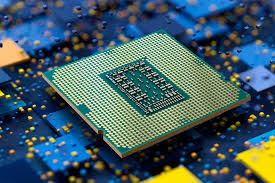
The Central Processing Unit (CPU) dictates how fast your computer can “think” and execute tasks. In recent years, the market has shifted dramatically from traditional x86 chips to more power-efficient architectures. Here is how to choose:
The Everyday User (Web Browsing, Office Apps, Streaming) If your daily workflow consists of managing spreadsheets, writing documents, and watching Netflix, you do not need to overspend.
- What to look for: An Intel Core i5 (or Core Ultra 5), AMD Ryzen 5, or an entry-level Apple M-series chip (like the base M2 or M3). These processors are incredibly efficient and will provide buttery-smooth performance for daily tasks while preserving battery life.
The Power User & Creator (Photo Editing, Light Coding, Multitasking) If you frequently keep 40 browser tabs open while running Adobe Photoshop and compiling code, you need more cores to handle the simultaneous data streams.
- What to look for: An Intel Core i7 (or Core Ultra 7), AMD Ryzen 7, or an Apple “Pro” series chip. These processors feature higher clock speeds and more physical cores, allowing the machine to juggle heavy workloads without stuttering.
The Heavy Duty Professional (3D Rendering, 4K Video Editing, Heavy Gaming) For professional video editors, 3D animators, and hardcore gamers, the CPU is just one part of the equation—you also need to ensure the processor does not bottleneck your dedicated graphics card (GPU).
- What to look for: Intel Core i9, AMD Ryzen 9, or Apple “Max” tier chips. Be warned: these processors run hot and require laptops with robust, heavy cooling fans.
2. The Era of the NPU (Neural Processing Unit)
A major shift in 2026 laptops is the inclusion of the NPU. While the CPU handles general tasks and the GPU handles graphics, the NPU is a dedicated chip designed exclusively to run Artificial Intelligence tasks locally on the machine.
- Do you need it? If you rely heavily on local AI tools—such as AI-assisted video rendering, live background blurring during video calls, or running local large language models—an NPU is highly beneficial. It handles these tasks efficiently without draining your battery. However, if you primarily use cloud-based AI (like ChatGPT in a browser), a dedicated NPU is not strictly necessary yet.
3. RAM (Random Access Memory): Why 8GB is Officially Dead
RAM is your computer’s short-term memory. It holds the data for the applications you are actively using right now. The biggest mistake consumers make is buying a powerful processor but starving it of RAM.
- 8GB of RAM: Avoid this in 2026. Modern operating systems and web browsers (especially Google Chrome) are notorious memory hogs. 8GB will cause your system to constantly rely on “swap memory” (using your hard drive as slow RAM), resulting in a sluggish experience.
- 16GB of RAM (The New Minimum Standard): This is the sweet spot for 90% of users. 16GB provides plenty of breathing room for aggressive multitasking, heavy web browsing, and general productivity software.
- 32GB of RAM (For Professionals): If you edit high-resolution video, run local virtual machines, or work with massive, raw data sets, 32GB is highly recommended to keep your workflow fluid.
- Unified Memory Note: If you are buying an Apple Silicon MacBook, be aware that their “Unified Memory” is shared between the CPU and GPU. It is highly efficient, but it cannot be upgraded later. Always buy the RAM you think you will need for the entire lifespan of the laptop.
4. Storage: The NVMe SSD Standard
While not processing data, your storage drive is where your files live permanently. Traditional spinning Hard Disk Drives (HDDs) belong in a museum. Your laptop must have a Solid State Drive (SSD), specifically an NVMe SSD, which reads and writes data at lightning speeds.
- Capacity matters: Do not buy a 256GB drive. Between the operating system and a few heavy applications, it will fill up within months. 512GB should be your absolute baseline, with 1TB being the ideal size for most users to comfortably store their photos, applications, and documents without relying entirely on cloud storage.
Conclusion
When purchasing a laptop, balance is everything. Pairing a top-tier Intel Core i9 processor with only 8GB of RAM is like putting a Ferrari engine inside a car with bicycle tires; the performance will be entirely bottlenecked. For the vast majority of consumers and professionals in 2026, a mid-tier processor (like a Core i5 or Ryzen 5) paired with a robust 16GB of RAM and a 512GB NVMe SSD provides the perfect intersection of speed, longevity, and value. Identify your actual daily workflow, ignore the flashy marketing up-sells, and buy the hardware that natively supports your needs.




Post Comment